Sprite Editor
The sprite editor is the first thing you will see when you create a new sprite:
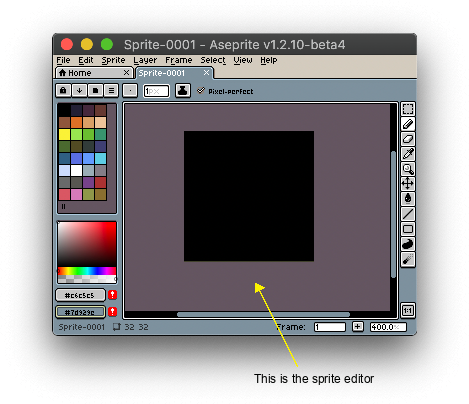
On the sprite editor you can:
- Draw with mouse clicks or a stylus/pen, or with one finger on a Windows Surface device.
- Zoom with the mouse wheel or with a pinch-like gesture on a MacBook trackpad or the Windows Surface screen.
- You can also scroll/pan with the mouse wheel and Shift key, or using two fingers in the MacBook trackpad or on Windows Surface screen.
Preferences
You can customize the Sprite Editor behavior from Edit > Preferences > Editor.
SEE ALSO